

Veeva CRM Data Migration to Salesforce Life Sciences Cloud
How to migrate Veeva CRM data to Salesforce Life Sciences Cloud: inventory, source-to-target mapping, cleansing, historical strategy, rehearsals and reconciliation.
How to migrate Veeva CRM data to Salesforce Life Sciences Cloud: inventory, source-to-target mapping, cleansing, historical strategy, rehearsals and reconciliation.
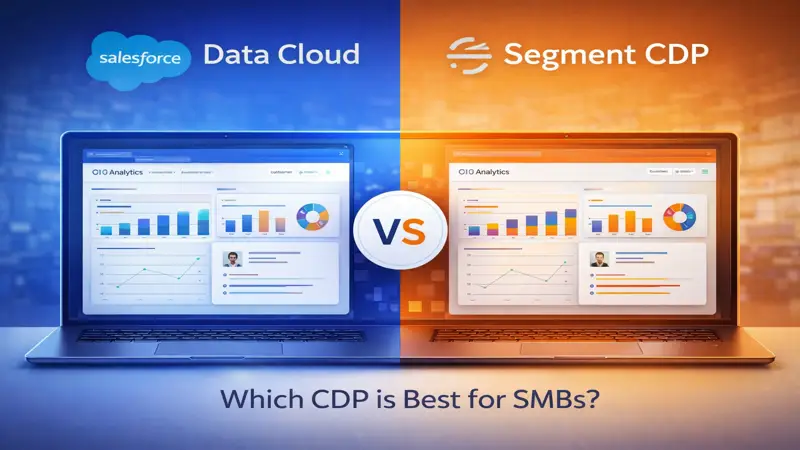
Salesforce Data Cloud CDP: 2026 Expert Guide Salesforce Data Cloud CDP vs Segment CDP is a key decision for growing SMBs — Data Cloud is native to Salesforce while Segment offers broader multi-platform data orchestration. For official documentation, visit Salesforce Data Cloud. Salesforce Data Cloud vs Segment CDP for SMBs in 2026 Two leading customer data platforms compared for SMBs in 2026 — on integration depth, AI capabilities, pricing, and which delivers better ROI for businesses already on Salesforce. Get a CDP Platform Recommendation The CDP Market in 2026 Customer data platforms have become a core part of the SMB marketing stack in 2026. Two platforms come up most frequently for Salesforce-using SMBs: Salesforce Data Cloud (the native Salesforce CDP) and Segment (by Twilio, the most-used standalone CDP). Both unify customer data across sources — but they have fundamentally different architectures, pricing models, and integration depth with Salesforce. For more information, visit the official Salesforce Data Cloud page. Dimension Salesforce Data Cloud Twilio Segment Primary Architecture Native Salesforce platform — zero integration required Best-of-breed CDP — integrates via API Salesforce Integration Native — reads/writes CRM objects directly Third-party connector — requires development setup AI Integration Native — feeds Einstein and Agentforce directly Requires separate AI platform connection Identity Resolution Built-in — matches across all connected sources Built-in — strong, particularly for web/mobile data Activation Channels Salesforce clouds (MCE, AC, Service) + external APIs 350+ native destinations — very broad Real-Time Streaming Yes — real-time event streaming in 2026 Yes — core strength since launch Data Volume Pricing Consumption-based — data rows processed Consumption-based — MTUs (monthly tracked users) 2026 Starting Price (SMB) Included in Enterprise allotment + overages $120/month (Team) — scales with user volume Developer Requirement Low — configured in Salesforce UI Moderate — best with developer for full implementation Where Salesforce Data Cloud Wins for SMBs Already on Salesforce For SMBs whose core business runs on Salesforce CRM, Data Cloud has a decisive advantage: zero integration work. Data Cloud reads and writes Salesforce objects natively, feeds enriched customer profiles directly to Einstein AI and Agentforce, and surfaces insights on CRM records without any data engineering. The ecosystem coherence reduces total implementation cost and ongoing maintenance significantly compared to integrating a third-party CDP with Salesforce. Where Segment Wins Segment is the better choice when: your data stack includes many non-Salesforce systems that need real-time event streaming (web, mobile apps, product analytics), your marketing technology stack spans multiple platforms outside Salesforce (Braze, Amplitude, Mixpanel), you have a developer team comfortable with JavaScript tracking and API-first tooling, or you need 350+ pre-built destination connectors that go far beyond the Salesforce ecosystem. Segment is particularly strong for product-led growth companies that generate high volumes of product usage events. The Salesforce-First SMB Decision For SMBs whose primary operational platform is Salesforce, Data Cloud almost always delivers faster ROI than Segment in 2026. The native integration eliminates months of development work, the AI ecosystem connection is immediate, and the total cost is lower when factoring in the development and maintenance overhead that Segment requires. Segment makes more sense when your data stack is genuinely multi-platform and you need a platform-neutral CDP at the center. Can You Use Both? Some SMBs use Segment to collect and stream web and mobile event data, then pipe that data into Salesforce Data Cloud for unification with CRM data. This architecture gives you Segment’s event collection strengths and Data Cloud’s Salesforce AI integration. It is more complex to maintain but can make sense for product-led B2B companies with significant product usage data. Read our full Salesforce Data Cloud guide for SMBs. Frequently Asked Questions Is Salesforce Data Cloud replacing the need for a third-party CDP for most SMBs? For SMBs whose customer journeys happen primarily within the Salesforce ecosystem (CRM, Marketing Cloud, Service Cloud), yes. Data Cloud eliminates the need for a standalone CDP for most common use cases. Segment remains compelling for multi-platform stacks. How does Segment pricing compare to Data Cloud for an SMB with 50,000 customers? Segment Team plan starts at $120/month but scales with monthly tracked users — 50,000 MTUs would run approximately $500-$1,000/month. Data Cloud at 50,000 profiles is likely within the included Enterprise allotment at no additional cost. Data Cloud is typically cheaper for SMBs already on Enterprise. Does Segment integrate better with non-Salesforce marketing tools? Yes. Segment’s 350+ destination connectors include Google Analytics, Facebook Ads, Braze, Intercom, Mixpanel, and dozens of other tools. Data Cloud activates natively to Salesforce products and has external activation options but a smaller destination library. We are a product-led growth company with heavy product usage data. Which is better? Segment was built for this use case and handles product event streams extremely well. For PLG companies with complex product usage data feeding growth workflows, Segment is often the better CDP foundation — with Data Cloud potentially added later for the Salesforce CRM unification layer. Not Sure Which CDP Is Right for Your SMB? Cendance evaluates your data stack, marketing technology, and AI goals to recommend the right CDP approach — Data Cloud, Segment, or a combination. Free data strategy session available. Schedule a Free Consultation
unify customer data Salesforce: 2026 Expert Guide The ability to unify customer data in Salesforce using Data Cloud gives SMBs a single 360-degree customer profile that connects marketing, sales, and service interactions. For official documentation, visit Salesforce Data Cloud. Cendance Systems — Certified Salesforce Partner A step-by-step guide for SMBs on connecting data sources, configuring identity resolution, and building unified customer profiles in Salesforce Data Cloud in 2026. Get Expert Data Cloud Setup Help Prerequisites Before Starting Data Cloud Setup Before configuring Data Cloud, complete these prerequisites: Verify you have Salesforce Enterprise or Unlimited edition with Data Cloud provisioned (check Setup > Data Cloud). Assign the Data Cloud Admin permission set to your Salesforce admin user. Audit your data sources and document the customer identifier fields in each system (email address, phone, customer ID). Complete a data quality review — clean up duplicate contacts and fill critical missing fields in your CRM before connecting external sources. For more information, visit the official Salesforce Data Cloud page. Step 1: Enable Data Cloud and Configure the Org Go to Setup > Data Cloud > Get Started. Accept the Data Cloud terms. Configure your Data Cloud org settings: time zone, default locale, and data retention periods. Create the initial Data Cloud org. Note: Data Cloud runs on its own infrastructure within your Salesforce org — treat it as a connected platform, not just a new feature. Step 2: Connect Your First Data Source In Data Cloud Setup, go to Data Streams > New. Choose your connector type. For Salesforce CRM: select the Salesforce connector, choose which objects to sync (start with Leads, Contacts, Accounts, Opportunities, Cases). Set the sync frequency (real-time or scheduled). Map the source fields to Data Cloud data model fields — the system suggests mappings automatically, review and confirm. Activate the data stream. Your first CRM records will appear in Data Cloud within minutes. Step 3: Configure Identity Resolution Identity Resolution is how Data Cloud matches the same person across different data sources. Go to Data Cloud Setup > Identity Resolution > New Ruleset. Add your primary matching rules in priority order: (1) Email Address exact match — highest confidence. (2) Phone number exact match — high confidence. (3) First Name + Last Name + Company Name — medium confidence. Set the minimum confidence threshold for merging profiles (80% recommended for SMBs). Run the initial resolution — Data Cloud analyzes all ingested records and merges matched profiles into Unified Individuals. Step 4: Build Calculated Insights Calculated Insights are derived metrics computed from unified profile data. Go to Data Cloud > Calculated Insights > New. Use the Insights SQL editor or builder to create your first insight: Engagement Score (combining email open rate, website visits, and CRM activity in the last 30 days), or Days Since Last Purchase (for e-commerce and subscription businesses). These insights appear on the unified profile and can be pushed back to Salesforce CRM fields for reps to see. Step 5: Create Your First Segment Segments are filtered audiences built from unified profiles. Go to Data Cloud > Segments > New Segment. Define your audience with filters using unified profile data and calculated insights: “All contacts with an engagement score above 70 who visited the pricing page in the last 14 days and have an open opportunity in stage 3 or below.” Activate the segment to Marketing Cloud or Sales Cloud for targeted outreach. See Cendance Data Cloud implementation services for guided setup. Frequently Asked Questions How do I know if identity resolution is working correctly? After running identity resolution, check the Unified Individual count — it should be less than the sum of all records across your data sources (indicating merging is occurring). Review a sample of merged profiles manually to validate accuracy. A merge rate of 10-30% is typical for SMBs with moderate data overlap. What if my data sources use different customer IDs? This is the most common identity resolution challenge. Configure fuzzy matching rules using email and name combinations. Consider adding a persistent customer ID to all your systems as a future-state project — this dramatically simplifies identity resolution going forward. Can we undo identity resolution merges? Yes. Identity resolution is non-destructive — your source data is never modified. Unified profiles are separate objects that can be recomputed if you change your matching rules. You can adjust rules and re-run resolution at any time. How often does Data Cloud update unified profiles? Real-time data streams update within seconds to minutes. Scheduled batch streams update on your configured frequency (hourly, daily, weekly). Calculated Insights recalculate on a schedule you configure — typically daily for most SMB use cases. Need Help Setting Up Salesforce Data Cloud? Cendance handles end-to-end Data Cloud implementation for SMBs — from data source connection to unified profiles to activated segments. Free discovery session available. Book a Free Consultation →
Data Cloud Agentforce AI stack: 2026 Expert Guide The Data Cloud Agentforce AI stack is Salesforce’s unified AI architecture — Data Cloud provides the unified data layer that makes Agentforce agents smarter and more accurate. For official documentation, visit Salesforce Data Cloud. Cendance Systems — Certified Salesforce Partner The most successful SMBs in 2026 are running all three together: Data Cloud as the data foundation, Einstein as the intelligence layer, and Agentforce as the automation layer. Build Your Salesforce AI Stack The Three-Layer Salesforce AI Architecture In 2026, Salesforce AI is best understood as three layers that build on each other. Data Cloud is the data layer — it unifies all customer information from every system into real-time profiles. Einstein is the intelligence layer — it analyzes that unified data to generate predictions, scores, and insights. Agentforce is the action layer — it uses both to take autonomous actions: qualifying leads, resolving cases, scheduling meetings, and managing renewals. For more information, visit the official Salesforce Data Cloud and Agentforce page. Layer 1: Data Cloud — The Foundation Every AI capability in Salesforce performs better with richer, more complete data. Data Cloud provides the foundation by connecting your CRM, marketing, service, and external systems into unified customer profiles. Without this foundation, Einstein scores only what it can see in the CRM. With Data Cloud, Einstein sees website behavior, email engagement, support history, and purchase patterns — producing dramatically more accurate predictions. Layer 2: Einstein AI — The Intelligence Einstein sits on top of your Data Cloud-enriched customer profiles and generates intelligence: which leads are most likely to convert (Lead Scoring), which deals are at risk (Opportunity Scoring), when to send an email to each individual (Send Time Optimization), and what the next best action is for each customer interaction. Einstein turns raw unified data into actionable signals. Layer 3: Agentforce — The Action Agentforce agents consume both Einstein intelligence and Data Cloud profiles to take autonomous action. A lead qualification agent uses the Data Cloud profile (website behavior, past interactions) plus Einstein lead score to determine how to engage each prospect and what to offer. A service agent uses the unified case history and product usage data to resolve issues without human escalation. The combination is more powerful than any layer alone. Without Stack With Full Stack CRM data only — incomplete customer view Unified Customer 360 — complete real-time profile Manual lead prioritization — all leads treated equally AI-scored leads — reps focus only on high-probability prospects Human-dependent response — leads wait hours for contact Agentforce responds in 60 seconds, 24/7 Reactive service — customers wait for human resolution Proactive service — agent resolves common cases autonomously Manual forecasting — subject to rep bias AI forecasting — statistically grounded revenue predictions How SMBs Should Sequence the Stack Rollout Most SMBs cannot implement all three layers simultaneously. Cendance recommends this sequencing in 2026: (1) Start with Salesforce CRM with Einstein features activated — zero additional cost, immediate value. (2) Add Agentforce for one high-impact use case (lead qualification or tier-1 support). (3) Once you have proven AI ROI, invest in Data Cloud to enrich the data foundation and amplify the Einstein and Agentforce results you are already seeing. This sequencing delivers measurable ROI at each stage and builds organizational confidence in AI before committing to the full stack investment. Read our complete Salesforce AI guide for SMBs. Frequently Asked Questions Do we need all three to see value from Salesforce AI? No. Einstein AI delivers significant value with just your CRM data. Agentforce delivers value without Data Cloud. But the combination of all three produces compounding returns — each layer amplifies the others. What is the total investment for the full AI stack for an SMB? For a 10-25 person SMB: Salesforce Enterprise license ($165/user/month), Data Cloud (included up to a data allotment with Enterprise), Einstein Platform (included), Agentforce (included with Enterprise, consumption costs apply). Implementation investment with Cendance for the full stack: $35,000-$65,000 one-time, depending on complexity. How do we measure ROI across the full stack? Track separately: Einstein impact (lead conversion rate improvement, forecast accuracy), Agentforce impact (leads qualified per hour, case deflection rate, SDR time saved), and Data Cloud impact (campaign personalization lift, customer retention improvement). Aggregate these for total stack ROI. Can we start with Agentforce before setting up Data Cloud? Absolutely. Agentforce works with CRM data alone. Adding Data Cloud later enriches the agents with more context, improving their accuracy and relevance. Many SMBs start with Agentforce, prove ROI, then add Data Cloud in year 2. Build Your Salesforce AI Stack with Cendance We design and implement the right combination of Data Cloud, Einstein, and Agentforce for your SMB — sequenced to deliver ROI at every stage. Free AI strategy session available. Book a Free Consultation →
Data Cloud vs traditional CRM: 2026 Expert Guide The Data Cloud vs traditional CRM comparison shows that standard Salesforce CRM stores transaction records while Data Cloud creates unified real-time customer profiles from all sources. For official documentation, visit Salesforce Data Cloud. Cendance Systems — Certified Salesforce Partner Your CRM captures what your sales team records. Data Cloud captures what your customers actually do — across every channel, in real time. Here is why that difference matters. See Data Cloud vs CRM in Action What Traditional CRM Data Captures Your Salesforce CRM in 2026 captures what your team records: calls logged, emails sent, notes taken, stage changes made, and opportunities created. This data is invaluable for managing the sales process — but it is fundamentally limited to what a human decided to enter. If a rep forgets to log a call, it did not happen in the CRM. If a customer visits your website 20 times before calling, your CRM knows nothing about it. For more information, visit the official Salesforce Data Cloud page. What Data Cloud Adds to the Picture Data Cloud adds the customer’s side of the story — behavioral signals your CRM cannot see: which pages they visited and how long they spent on each, which emails they opened (and which they ignored), what support issues they had with your competitors (from intent data providers), whether they searched for your product category on the web, and how their purchase frequency has changed over the last 90 days. This transforms your understanding from “what my team did” to “what the customer is doing.” Data Type Traditional CRM Salesforce Data Cloud Sales Activities Yes — calls, emails, meetings logged by reps Yes — plus automated email tracking Website Behavior No Yes — pages visited, time on site, forms started Email Engagement Partial — if email tool is connected Yes — full open, click, and conversion history Support History If in Service Cloud only Yes — unified across all support channels Purchase/Billing Data Manual entry only Yes — via ERP connector, real-time updates Third-Party Intent Data No Yes — via data marketplace connections Real-Time Updates Delayed — requires human action Yes — seconds to minutes after event occurs How the Data Gap Affects SMB Decision-Making Without Data Cloud, a sales rep calling a prospect in 2026 knows what their own team has done — calls made, emails sent, proposals delivered. With Data Cloud, that same rep knows the prospect opened the proposal 4 times yesterday, visited the ROI calculator page this morning, and has not responded to the competition’s case study they downloaded two weeks ago. The second rep has a fundamentally different, and better, conversation. When CRM Data Alone Is Sufficient Not every SMB needs Data Cloud immediately. If your customer interactions happen primarily through your sales team (with minimal website self-service behavior), if you have a small, manageable contact base with few data sources, and if your AI use cases are limited to lead scoring from CRM data, traditional Salesforce CRM data may be sufficient for now. Data Cloud becomes more compelling as your digital touchpoints multiply and your AI ambitions grow. Learn more about what Data Cloud is and how it works. The Right Time to Add Data Cloud Most SMBs find Data Cloud becomes compelling at the intersection of three conditions: you have meaningful data in 3+ external systems that are not connected to Salesforce; your team is frustrated by incomplete customer context (“I did not know they had that issue”); and you want to use Agentforce or Einstein AI features that benefit from richer data signals. If all three apply to you in 2026, it is time to explore Data Cloud seriously. Frequently Asked Questions Does adding Data Cloud require replacing our CRM data setup? No. Data Cloud runs alongside your existing Salesforce CRM setup. It enriches your CRM data without replacing or disrupting your existing workflows. Reps still work in the same Salesforce interface — they just see richer context. Can Data Cloud fix our existing CRM data quality problems? Partially. Data Cloud can resolve duplicate contacts across systems and fill in gaps from external sources. However, fundamental CRM data quality issues (incomplete records, wrong stage usage, missing fields) need to be addressed in the CRM itself, ideally before a Data Cloud implementation. How do we know if our website behavior data is worth connecting? If your website generates more than 500 meaningful visits per month from prospects or customers, website behavioral data adds significant value to customer profiles. Below that threshold, the signal-to-noise ratio may be too low to justify the connection effort. Does Data Cloud make Einstein AI more accurate? Yes — significantly. Einstein models trained on unified Data Cloud profiles (which include website behavior, email engagement, and external signals) consistently outperform models trained on CRM data alone. The more complete the customer picture, the more accurate the AI predictions. Ready to See Your Complete Customer Picture? Cendance connects your Salesforce CRM to Data Cloud and gives your team the unified customer view they have been missing. Free discovery session available. Book a Free Consultation →
Salesforce Data Cloud explained: 2026 Expert Guide Salesforce Data Cloud explained simply: it is a customer data platform (CDP) that ingests, unifies, and activates data in real time across your entire Salesforce ecosystem. For official documentation, visit Salesforce Data Cloud. Cendance Systems — Certified Salesforce Partner Data Cloud is Salesforce’s real-time customer data platform — it unifies fragmented data from every system into one complete customer profile that powers better decisions across your entire business. See How Data Cloud Works for Your Business The Data Problem Data Cloud Solves Most SMBs in 2026 have customer data scattered across multiple systems: Salesforce CRM has deal history and contact records, Marketing Cloud has email engagement data, Service Cloud has support case history, the website has behavioral data, and the ERP has purchase and billing records. No single system shows the complete picture of any customer. Data Cloud solves this by pulling all of these data streams together into one unified Customer Profile for every individual — in real time. For more information, visit the official Salesforce Data Cloud official page page. Data Cloud Explained with a Real Example Without Data Cloud: A sales rep opens a customer account in Salesforce and sees the opportunity history. They do not know this customer opened three support cases last month, visited the pricing page twice this week, or has an invoice 30 days overdue. Each piece of data lives in a different system. With Data Cloud: The same rep opens the account and sees a complete timeline — last email opened, last support case status, recent website visits, invoice status, and an AI-generated engagement health score — all in one view. That context changes the conversation. Key Data Cloud Concepts SMBs Need to Know Term What It Means Data Stream A connection to a data source — each system feeding data into Data Cloud is a stream Identity Resolution The rules that match the same person across systems (email, phone, ID matching) Unified Profile The merged Customer 360 record for a single individual, combining all data streams Calculated Insight A derived metric computed from profile data — engagement score, LTV, churn risk Segment A filtered audience built from unified profiles — used to target campaigns or trigger automations Activation The process of sending a segment to a marketing or sales channel for action How Data Cloud Is Different From Your CRM Your Salesforce CRM is a system of record for sales and service transactions. Data Cloud is a system of intelligence for understanding the complete customer relationship. The CRM stores what happened in your sales process. Data Cloud understands what the customer is doing, feeling, and needing across every interaction point — and makes that understanding available to every team in real time. Does an SMB Really Need Data Cloud? Data Cloud delivers the most value when you have: customer data in 3+ separate systems that do not talk to each other, personalization goals that require knowing the full customer journey (not just CRM history), AI and automation use cases that need real-time data signals (Agentforce and Einstein accuracy improves significantly with Data Cloud), and a need to build precise audiences for targeted campaigns. If you are a small team running everything inside Salesforce with minimal external data, Data Cloud may not be your immediate priority. Talk to Cendance about whether Data Cloud is right for your SMB. Frequently Asked Questions Is Salesforce Data Cloud the same as Salesforce CDP? Yes. Salesforce rebranded its Customer Data Platform (CDP) to Data Cloud in 2022 and has significantly expanded its capabilities since. In 2026, Data Cloud encompasses the original CDP functionality plus real-time activation, AI integration, and Agentforce data grounding. How is Data Cloud different from MuleSoft? MuleSoft is an integration platform — it moves and transforms data between systems. Data Cloud is a customer data platform — it unifies and profiles customer data for activation and AI. They are complementary: MuleSoft can feed data into Data Cloud, but they serve different purposes. What does real-time mean in Data Cloud context? Real-time in Data Cloud means customer profile updates propagate within seconds to minutes of new data arriving — not overnight batch updates. If a customer submits a support case at 2pm, a sales rep reaching out at 2:15pm already sees that case in the unified profile. Can Data Cloud share data back to Salesforce CRM? Yes. Calculated Insights and unified profile data flows back to Salesforce objects, enriching your CRM with AI-generated scores and cross-channel context directly on Lead, Contact, Account, and Opportunity records. Learn If Data Cloud Is Right for Your SMB Free 45-minute Data Cloud readiness consultation with Cendance. We assess your current data landscape and tell you honestly whether Data Cloud will deliver ROI for your specific situation. Book a Free Consultation →
Salesforce Data Cloud SMB: 2026 Expert Guide Salesforce Data Cloud SMB implementation unifies customer data from CRM, marketing, and service systems into a single real-time profile that powers AI and personalization. For official documentation, visit Salesforce Data Cloud. Cendance Systems — Certified Salesforce Partner Data Cloud unifies every customer data point — CRM, website, email, support, and more — into a single real-time profile that powers smarter sales, service, and AI decisions. Start Your Data Cloud Journey What Is Salesforce Data Cloud? Salesforce Data Cloud is a real-time customer data platform (CDP) built into Salesforce. It ingests data from any source — your CRM, website behavior, email engagement, support history, ERP, and third-party data — and unifies it into a single Customer 360 profile for each individual. In 2026, Data Cloud is the foundation that powers the most sophisticated uses of Agentforce and Einstein AI, because both become far more accurate when fed real-time unified data. For more information, visit the official Salesforce Data Cloud page. Why SMBs Are Adopting Data Cloud in 2026 Data Cloud used to be an enterprise-only product with enterprise-level pricing. In 2026, Salesforce has made Data Cloud accessible to SMBs through bundled licensing in higher-tier editions and standalone starter packages. SMBs are adopting it for three primary reasons: eliminating data silos between their CRM, marketing, and support systems; powering personalized customer experiences across every channel; and providing richer data signals to Einstein AI and Agentforce agents. How Data Cloud Implementation Works for SMBs A Data Cloud implementation follows four stages: (1) Data Source Connection — connect your Salesforce CRM, Marketing Cloud, Service Cloud, and key third-party systems (website analytics, ERP, e-commerce platform). (2) Identity Resolution — configure the rules that tell Data Cloud how to match records across systems (email, phone, customer ID). (3) Data Model Mapping — map incoming fields to the Data Cloud canonical data model. (4) Calculated Insights — build the derived data points (engagement score, lifetime value, churn risk) that sales and service teams act on. Data Source What It Adds to the Customer Profile Connection Method Salesforce CRM Lead history, opportunity stage, account details Native — zero setup Marketing Cloud / Account Engagement Email opens, clicks, form fills, nurture stage Native connector Service Cloud Case history, satisfaction scores, product usage Native connector Website Analytics Pages visited, time on site, content consumed JavaScript SDK or Mulesoft ERP / Billing System Purchase history, subscription status, payment behavior API connector or CSV import Data Cloud Use Cases That Deliver SMB ROI The highest-ROI Data Cloud use cases for SMBs in 2026: (1) Unified Customer Timeline — every sales rep and service agent sees a complete interaction history across all channels in one view, eliminating “I did not know they already called support” situations. (2) Churn Prediction — Data Cloud identifies customers showing disengagement signals before they cancel. (3) High-Value Segment Activation — build precise audience segments (all customers who bought Product A and visited the pricing page this week but have not renewed) and activate them across marketing channels instantly. Data Cloud Pricing for SMBs in 2026 Data Cloud pricing in 2026 is consumption-based — you pay per data row stored and processed. Salesforce includes a Data Cloud starter allotment with Enterprise and Unlimited editions. Most SMBs with under 100,000 customer records fit within the included allotment. Larger data volumes or advanced use cases require additional Data Cloud credits. See our Data Cloud implementation services. Frequently Asked Questions Does Data Cloud replace Salesforce CRM? No. Data Cloud enriches your CRM by pulling in data from outside Salesforce. Your CRM remains the system of record for sales and service workflows. Data Cloud adds a unified view layer on top of it. How long does a Data Cloud implementation take for an SMB? A focused SMB Data Cloud implementation connecting 3-5 data sources and building core calculated insights typically takes 4-8 weeks with Cendance. More complex implementations with many data sources take 8-16 weeks. What is identity resolution and why does it matter? Identity resolution is the process of matching the same customer across different systems — “John Smith in Salesforce” is the same person as “jsmith@company.com in your email system.” Without accurate identity resolution, you get duplicate profiles and incomplete customer views. Can we use Data Cloud without Marketing Cloud? Yes. Data Cloud connects to any data source, not just Salesforce products. Many SMBs connect their CRM, website analytics, and ERP without any Marketing Cloud involvement and get significant value from the unified customer view alone. Unify Your Customer Data with Salesforce Data Cloud Cendance implements Data Cloud for SMBs with a focused 4-8 week engagement. We connect your key data sources, configure identity resolution, and deliver real-time customer profiles your teams will actually use. Book a Free Consultation →